
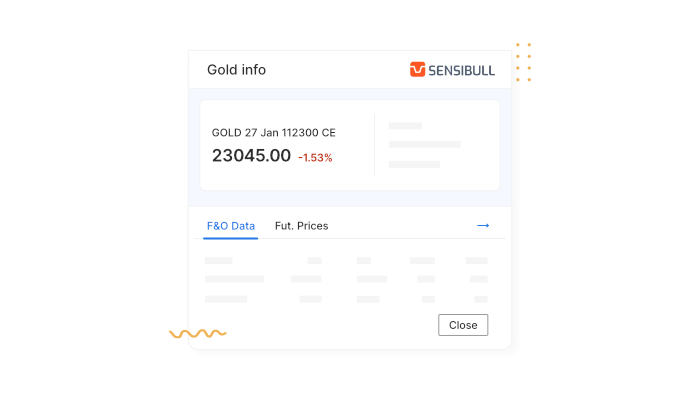
Introducing the MCX info widget on Kite
Trading commodity futures and options involves more moving parts than equity derivatives. In equities, most contracts follow a common rulebook. In commodities, the rules change depending on what you’re trading, expiry dates, cut-off times, and even settlement methods can differ from one contract to another.
Take Gold and Crude Oil as examples.
Gold futures are physically settled. As a contract nears expiry, it enters a tender period, where any open position can lead to physical delivery. Since physical delivery isn’t supported, trading in Gold futures stops before the tender period begins.
Unlike equity options, which expire alongside futures, Gold options are monthly contracts. If the underlying futures contract expires in the following month, the options expire seven trading days before that futures expiry. Otherwise, they expire on the last trading day of the month.
Crude Oil works very differently. Crude Oil futures are cash-settled, with no delivery or tender period. Positions can be held right up to expiry and are settled in cash. Crude Oil options follow their own timeline as well, expiring two trading days before the underlying futures contract.
When every commodity comes with its own timelines and rules, keeping track of these details can quickly get overwhelming.
To make this easier, we’ve added the MCX Info Widget on the Kite web. It brings all key contract details into one place.
You can access it by clicking on any MCX contract in your watchlist and selecting Info from the context menu.

What you can quickly check using the MCX Info Widget:
The exact expiry and last trading day for each contract and switch between different futures and options expiries for the same commodity without leaving the screen.

Check how long trading is allowed for that contract at Zerodha. For physically settled commodities like Gold, this shows when trading stops ahead of the tender period.
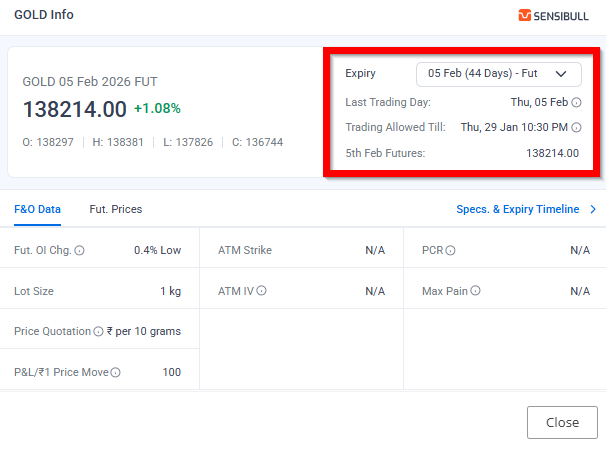
For the selected expiry, the widget shows key F&O details such as lot size, price quotation, open-interest change, ATM strike, implied volatility (for options), PCR, max pain, and how much profit or loss a one-rupee price move translates to.
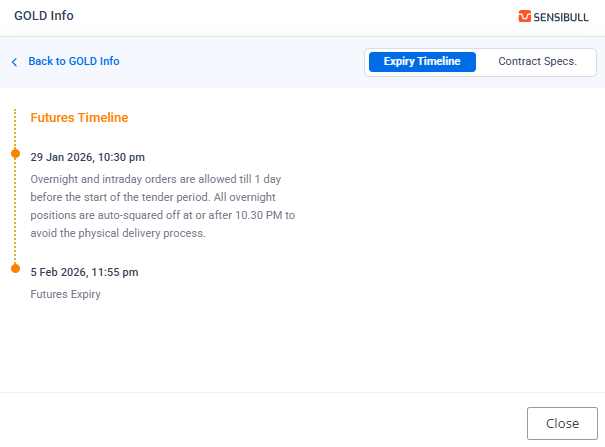
As expiry approaches, the Specs & expiry timeline view shows when overnight positions are no longer allowed, when the contract becomes intraday-only, auto square-off timings, and how positions are handled at expiry.
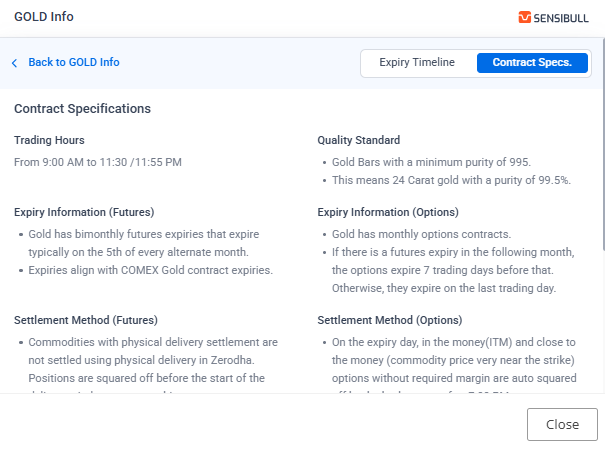
Finally, all contract specifications are available in one place, including trading hours, quality standards (such as 995-purity gold bars), pricing references, and the settlement mechanism, so you don’t have to look these up separately.
At Zerodha, we offer a single-ledger facility. This means you can trade commodities using the same funds you use for equity, no separate balance is required. Learn more about single ledger.
If you want to understand the basics of commodity markets, check out this module on Varsity.

Good 👍
Good
yes
please make UI more smooth and understandable .
very good initiative- – clears all confusion of lookup again and again. thanks
Kindly provide smooth sl on chart
Very good and useful
Hi
Additional features
Paper trading for beginners for equity trading /mutual fund is it available?
Ok thanks your help to my improvement development my knowledge thank you so much
Iam new to commodity trading I purchased 1 undi of goldguinea 26 feb fut, when should I sell it,plz tell me the date of last date to sell.
Will you add colouring option in NOTES in WATCHLIST, it will enable us to know the priorities.
Great feature!!
Kindly bring trailing stoploss facility.It will be very helpful for commodity trading.
Hi, Trailing Stoploss feature is in the works. We’ll keep you posted.
Intraday stoploss short term long term…all the options much needed for convenient treding
When auto trailing stoploss added future going to be added.
Hi Giri, Trailing Stoploss feature is in the works. We’ll keep you posted.
By dragging the cursor (stop loss )in kite web… Kindly Provide the option like that in kite app also….
Hi Gowri, we’re working on bring trading from chart feature to Kite app. We’ll keep you posted.
When will you provide gtt orders for commodity futures
This asked multiple times to zerodha, I am also asking the same since 2020, Zerodha is not much impressive and beneficial now a days. i move many of my portfolio to dhan.. which is more better.
Hi Rohit, GTT orders for commodity segment will be available soon.
Much needed update!
Appreciate that.
Zerodha never do what we ask. They push their own super ideas to us. Take it or thwrow it is left you.
When we give suggestiin, they will say it will be considered in future and close the ticket once for all.
Very good and helpful
Hi
This is much appreciated, and this will help more people to understand commodities better. This was needed for a long time as not enough data is available on the subject. I would also like to request PCR data shown in bar charts as done for Nifty and Bank nifty etc. Real time change in data will help take informed trades with confidence.
Thanks and Best wishes.
Interested to get updated.
When Auto trailing Stop loss feature going to be added ??
Hi Shripad, Trailing Stoploss feature is in the works. We’ll keep you posted.
When auto trailing stoploss added future going to be added.
When we can expect Us investment through Gift City on kite and if it started does it will have any restriction like etf or trading stocks only for particular segment
Hi Pritesh, we’re working on this. We will share more details when we are close to launch.
but how we can add commodity segment we do already F& O of in equity and index from 5 years …itry my best but not activate????
Hi Dharmender, you can activate commodity segment from Console by following the steps given here: https://support.zerodha.com/category/console/segments/segment-addition/articles/how-do-i-enable-trading-futures-and-options
Hindi translation ho sakti hai upar wali video ka .